• There seems to be an uptick in Political comments in recent months. Those of us who are long time members of the site know that Political and Religious content has been banned for years. Nothing has changed. Please leave all political and religious comments out of the forums.

    If you recently joined the forums you were not presented with this restriction in the terms of service. This was due to a conversion error when we went from vBulletin to Xenforo. We have updated our terms of service to reflect these corrections.

    Please note any post refering to a politician will be considered political even if it is intended to be humor. Our experience is these topics have a way of dividing the forums and causing deep resentment among members. It is a poison to the community. We appreciate compliance with the rules.

    The Staff of SOH

  • Please see the most recent updates in the "Where did the .com name go?" thread. Posts number 16 and 17.

    Post 16 Update

    Post 17 Warning

Hercules fans....you ain't gonna believe this...

I'm trying to download about 6 C130 liveries. The Flightsim will not allow me as the Captcha check just gets in a circle and doesn"t stop.
Is there any way to fix it so I can get the downloads I need.
This is happening to me also, with all downloads on that site for the past couple of days, including updates to my past downloads. It might be a new anti-adblocker measure, or just a problem with captcha. I have not tried, and will not try, switching off my adblocker to see if that's it. I did find, however, that switching from Firefox to Chrome enabled me to download the files. So try switching browsers.

August
 
This is happening to me also, with all downloads on that site for the past couple of days, including updates to my past downloads. It might be a new anti-adblocker measure, or just a problem with captcha. I have not tried, and will not try, switching off my adblocker to see if that's it. I did find, however, that switching from Firefox to Chrome enabled me to download the files. So try switching browsers.

August
Not working for me either...and switching from Firefox to Edge worked for me.
 
I'm on Chrome and have no trouble. I just started a test download and all I had to do was check the box.

Currently running the latest Chrome.
 
Firefox working for me again now. I guess Firefox and captcha just decided not to be friends for a few days, but have made up.

August
 
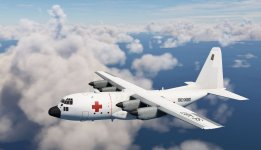
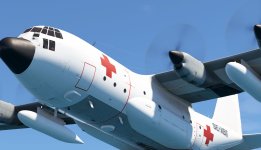
Next C-130E repaint is availible. Swedish Air Force with civilian registration of 1968. Operated by ICRC in Biafra.

SE-XBT5.jpg

SE-XBT3.jpg

Have fun!

Thomas
 
Sorry for resurrecting this thread, but I just picked this up for $20 on the marketplace sale (right near the end, I figured WTH). I'm actually impressed. The sounds, as mentioned earlier, are lacking, but the model is VERY nice. Plus, it has been updated to allow 3rd-party liveries and the NAV switch now works and will follow a GPS flight plan. I did a quick re-color into my personal livery, and had a great time flying it today.

I'm not sure I'd pay the full price, but for $20, it was well worth it. Maybe Captain Sim is working on redemption.
C130herc1.jpg
 
Since there was no $9.99 CaptainSim sale over the holidays I purchased the C130E for $19.99.

Most everything I've tested seems to work in MS2024. and I am pleased with the purchase.

What does not work is the Flag and it's selection does not work.

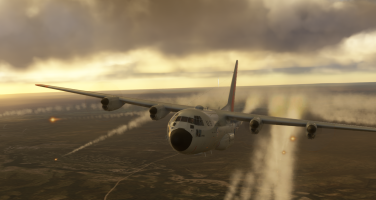
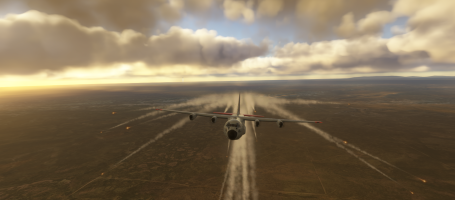
How is the Flare animation initiated? Can't locate how. The Flare loading appears on the Side Pad.
HELP wanted on the Flare initiation procedure. Thanks.
 
Since there was no $9.99 CaptainSim sale over the holidays I purchased the C130E for $19.99.

Most everything I've tested seems to work in MS2024. and I am pleased with the purchase.

What does not work is the Flag and it's selection does not work.

How is the Flare animation initiated? Can't locate how. The Flare loading appears on the Side Pad.
HELP wanted on the Flare initiation procedure. Thanks.
Hi,
Have a look at this video :

You have to choose how much falre dispensers you want on the tablet left of the cockpit, and then press your key binding "toe brakes".
I tested it and it works...
Can't remember how to drpo loads, but I think it's explained in the video.
Have fun !

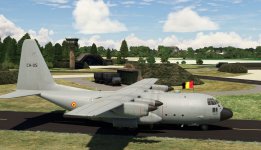
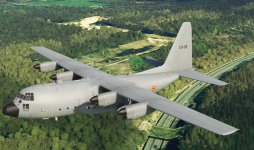
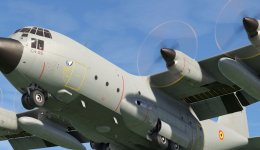
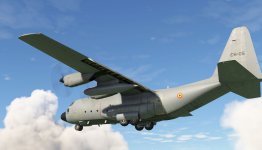
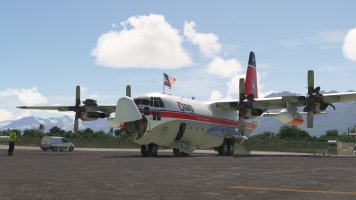
By the way, I upgraded the C130H from model 2020 compatible 2024 to model native 202, and now no liveries are compatible with this model. The only livery compatible with this new model is the one on the shots, made by Crispy136.
Could our preferred and very skilled painters have a look at this problem ?

Thanks in advance.
 

Attachments

  • 2026-01-07 (2).png
    2026-01-07 (2).png
    2.1 MB · Views: 5
  • 2026-01-07.png
    2026-01-07.png
    1.7 MB · Views: 4
Last edited:
Thanks, ELandon, for your reply.
It appears that the brake key binding does work for MS2024, at least not for me.

The Chrispy136 liveries on flightsim.to are for the C130H and don't show up for the C130E.

Appreciative for your response. Thanks.
 
Back
Top