• Please see the most recent updates in the "Where did the .com name go?" thread. Posts number 16 and 17.

    Post 16 Update

    Post 17 Warning old domain name stealing credentials

  • Special Server Maintenance

    Just when you think you have everything running some what better...

    You get a message from the Hosting company. Short story they need to move us to a new server. I have been working with them to plan a good date for all concerned. Here is what we have come up with as a schedule.

    1. November 4th 17:00 -5UTC shut off the forums and start backup proceedures. During this time there will be no access to the forums or the Resource Section.
    2. November 5th Continue with Backups and download same until complete.
    3. November 6th 7:00 turn over server to hosting company to move system to new server
    4. November 7th - 8th restore backups and upgrade forum software.

    If all goes well we should be back online on November 8th.

    To keep you updated we will post updates on AVSIM forums.

    Thank you for your support.

Hercules fans....you ain't gonna believe this...

I'm trying to download about 6 C130 liveries. The Flightsim will not allow me as the Captcha check just gets in a circle and doesn"t stop.
Is there any way to fix it so I can get the downloads I need.
This is happening to me also, with all downloads on that site for the past couple of days, including updates to my past downloads. It might be a new anti-adblocker measure, or just a problem with captcha. I have not tried, and will not try, switching off my adblocker to see if that's it. I did find, however, that switching from Firefox to Chrome enabled me to download the files. So try switching browsers.

August
 
This is happening to me also, with all downloads on that site for the past couple of days, including updates to my past downloads. It might be a new anti-adblocker measure, or just a problem with captcha. I have not tried, and will not try, switching off my adblocker to see if that's it. I did find, however, that switching from Firefox to Chrome enabled me to download the files. So try switching browsers.

August
Not working for me either...and switching from Firefox to Edge worked for me.
 
I'm on Chrome and have no trouble. I just started a test download and all I had to do was check the box.

Currently running the latest Chrome.
 
Firefox working for me again now. I guess Firefox and captcha just decided not to be friends for a few days, but have made up.

August
 
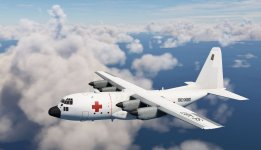
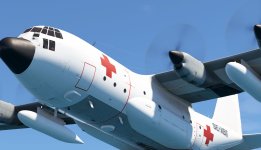
Next C-130E repaint is availible. Swedish Air Force with civilian registration of 1968. Operated by ICRC in Biafra.

SE-XBT5.jpg

SE-XBT3.jpg

Have fun!

Thomas
 
Sorry for resurrecting this thread, but I just picked this up for $20 on the marketplace sale (right near the end, I figured WTH). I'm actually impressed. The sounds, as mentioned earlier, are lacking, but the model is VERY nice. Plus, it has been updated to allow 3rd-party liveries and the NAV switch now works and will follow a GPS flight plan. I did a quick re-color into my personal livery, and had a great time flying it today.

I'm not sure I'd pay the full price, but for $20, it was well worth it. Maybe Captain Sim is working on redemption.
C130herc1.jpg
 
Since there was no $9.99 CaptainSim sale over the holidays I purchased the C130E for $19.99.

Most everything I've tested seems to work in MS2024. and I am pleased with the purchase.

What does not work is the Flag and it's selection does not work.

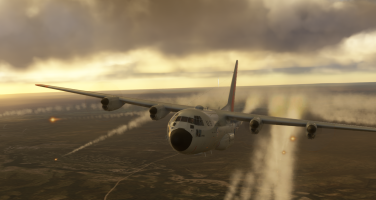
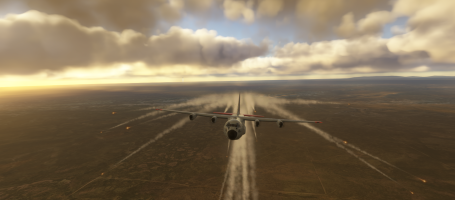
How is the Flare animation initiated? Can't locate how. The Flare loading appears on the Side Pad.
HELP wanted on the Flare initiation procedure. Thanks.
 
Since there was no $9.99 CaptainSim sale over the holidays I purchased the C130E for $19.99.

Most everything I've tested seems to work in MS2024. and I am pleased with the purchase.

What does not work is the Flag and it's selection does not work.

How is the Flare animation initiated? Can't locate how. The Flare loading appears on the Side Pad.
HELP wanted on the Flare initiation procedure. Thanks.
Hi,
Have a look at this video :

You have to choose how much falre dispensers you want on the tablet left of the cockpit, and then press your key binding "toe brakes".
I tested it and it works...
Can't remember how to drpo loads, but I think it's explained in the video.
Have fun !

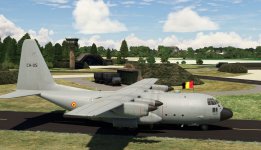
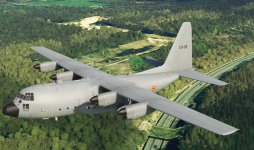
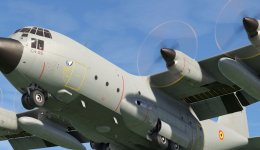
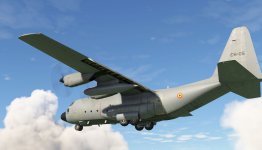
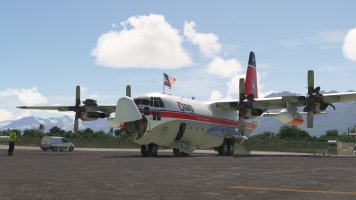
By the way, I upgraded the C130H from model 2020 compatible 2024 to model native 202, and now no liveries are compatible with this model. The only livery compatible with this new model is the one on the shots, made by Crispy136.
Could our preferred and very skilled painters have a look at this problem ?

Thanks in advance.
 

Attachments

  • 2026-01-07 (2).png
    2026-01-07 (2).png
    2.1 MB · Views: 5
  • 2026-01-07.png
    2026-01-07.png
    1.7 MB · Views: 4
Last edited:
Thanks, ELandon, for your reply.
It appears that the brake key binding does work for MS2024, at least not for me.

The Chrispy136 liveries on flightsim.to are for the C130H and don't show up for the C130E.

Appreciative for your response. Thanks.
 
Back
Top