
Seahawk72s
SOH-CM-2023
in all our test it did work, with more testers
Is there anything special or different about the effect..?

Please see the most recent updates in the "Where did the .com name go?" thread. Posts number 16 and 17.
Just when you think you have everything running some what better...
You get a message from the Hosting company. Short story they need to move us to a new server. I have been working with them to plan a good date for all concerned. Here is what we have come up with as a schedule.
If all goes well we should be back online on November 8th.
To keep you updated we will post updates on AVSIM forums.
Thank you for your support.
in all our test it did work, with more testers


Excellent, Thanks!!Ed, I got it flying OK last night with the "light" panel .cfg file and the FSX-specific .mdl file, I guess you did too. I found that the vcrainstopped0000.bmp file in the XATCN texture folder was the key to clearing the windows in the VC view. I copied it and dropped it in the other texture folders and that fixed the window glass.
Using just the original Fraser McKays 2D panel,(with new vc), I have no CTD and almost all switches and gauges work.
I changed fuel tanks in aircraft.cfg to correspond with panel.
Interesting. Based on your report I made up a new a/c with the Fraser M 2D panel (original d/l from flightsim.com) with the current VC. No CTD (only used the cab gauge file from FM). It starts with Ctrl + E and only then some of the electrical gauges respond but I could not get a cold and dark procedure from battery or GPU to a manual start. Could not get lights or other functions to work from the FM pop ups. Even once up and running, none of the main 2D Fraser M engine gauges respond. Copied his air.cfg entries for fuel, electrics but that made no difference. In fact, I have never found a way to manually start this aircraft. Am in P3Dv4.5 are you too
(wish I could do more)
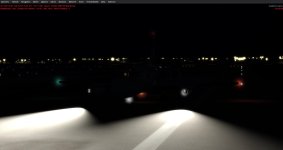
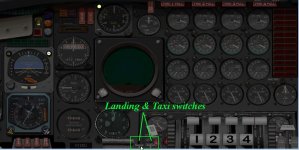
One other thing - getting this panel to work pretty much fully caused the landing lights to not work. Solved that by changing the light coding from "4" back to "8" - Wing Lights - as there is only a wing light switch in the Fraser 2D pop up for lights. There is also a working wing light switch in the VC that also should then control the landing lights but I want to go back and test that.
light.8=6, 21.677873, -0.6053, -5.0, fx_landing , //taxi
light.12=5, 8.9, -12.63, -4.2, fx_landing , //fx_JS2_landing,
light.13=5, 8.9, 12.8, -4.2, fx_landing , //fx_JS2_landing,
light.14=5, 8.9, -12.63, -3.7, fx_landing , //fx_JS2_landing,
light.15=5, 8.9, 12.8, -3.7, fx_landing , //fx_JS2_landing,
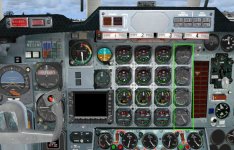
Noticed that right off the bat and considered that this is early beta (or late Alpha, lol) and much will change. However I'm a stickler for sharp gauges so I set out to correct it the best way I knew how (adjusting the "pixel_size" in the panel config file). I was surprised to see it was set to 4096x4096, which obviously had no affect. It's my understanding that the resolution of the gauges in the VC is dictated, at least in part, based on the size of the texture sheet the panel is on. In this case that happens to be a very small area of a 1024x1024. I plan on resizing that texture sheet to 4096x4096 to see if the gauges get any clearer. Just my opinion, but as it stands I think that no matter what gauges are used the clarity won't be much better until the texture sheet is enlarged.For me in FSX(A) gauges are fuzzy and not clear.
For those not having this problem you might try Fraser gauges in the vc which work for me. In green boundary.


ok, WRONG!! lol
No affect. After checking the gauges in FSPanel Studio (crystal clear), could it be linked to the model file? Coding possibly?
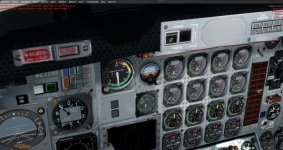


In latest version I see a folder "Future gauges" which contains many bmp files of clearer looking gauges. As is, can not use these, so have to ask why was it included
or is there a future catalyst file that will make use of these bmp gauge images?
