
• Please see the most recent updates in the "Where did the .com name go?" thread. Posts number 16 and 17.

    Post 16 Update

    Post 17 Warning old domain name stealing credentials

  • IMPORTANT INFORMATION - ALL MEMBERS PLEASE READ

    Due to an increase in the number of new members who are trying to systematically download our entire Resource Library (one new member yesterday tried to download 3,000+ files AT ONCE!) we are being forced to implement some changes regarding who can download what, how many files at a time and at what speed. As the forums and Resource Library share the same bandwidth when the Library gets overloaded with demand like that the forums fall over, as we have all seen recently. It's sad that greed has forced our hand in this way but we must do something for the benefit of all our legitimate members (many of whom paid money for the upkeep of the site) and to prevent the files stored here being used for nefarious purposes. Many of our uploads have specific conditions tied to them that forbid uploading to any other site or deny uploading to any site that has a 'paywall' (i.e. a pay to download policy). Due to the number of mass download attempts recently we can only assume that somebody, somewhere, is attempting to stock up a new file library with our files and we owe it to our up-loaders to protect their files and intellectual property especially as many (like my own LDR Development projects) are made available at SOH only and are specified as such in the 'read me' files.

    The forums and Resource Library will be taken offline as of 13:00 EDT with the forums coming back online shortly after without the resources library while we work on setting up permissions on the new Library module.

    We hope our members understand why we need to do this and will bear with us while we implement the changes.

    Thanks in anticipation, SOH ADMINISTRATION

    Downloads are now active. You may proceed with downloading as desired

    The download limits are a work in progress. Some settings are likely to need tweaking in the coming days.

Windows 10/11 snafu / content thread

640x480 dosen't look to be the problem.

Looks like Enable hardware acceleration isn't on and Bilinear Filter or Trilinear Filter isn't on as well.

Do the changes than start cfs2. Do NOT go into settings after that. Another things is try to remove the not needed keys so you have a display that looks like this. Also try changing to TriLinear=1 if need be.

[DISPLAY]
Device=NVIDIA GeForce GTX 1050 TI (\\.\DISPLAY1)
Mode=1024x768x32
Filter=1
MipMap=1
AntiAlias=1
HWTnL=1
Disable=0
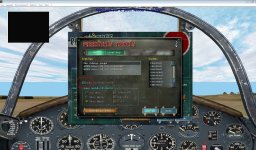
 
attachment.php


[DISPLAY]
Device=NVIDIA GeForce GTX 1070 (\\.\DISPLAY1)
Mode=1024x768x32
Dither=1
Filter=1
TriLinear=1
MipMap=1
AntiAlias=1
HWTnL=1
Disable=1

I tried with these settings, the box hardware acceleration remains empty.
 

Attachments

  • panneau graphisme.jpg
    panneau graphisme.jpg
    103.8 KB · Views: 74
Hi people, what has better performarce for cfs2, win 7 x64 or win 10 x64?. I see videos that videogames has better performace with win 10. oppinions?
 
Hi people, what has better performarce for cfs2, win 7 x64 or win 10 x64?. I see videos that videogames has better performace with win 10. oppinions?

I have just installed CFS2 in Win 10. I used to fly it in Win 7.

My impression is that it is almost the same in the DOS mode. I have a 4X3 monitor with the Win 7 system, I can fly it in the DOS mode.

I have a 16X9 monitor with the Win 10 system now. I don't like the DOS mode, the gauges are elongated. It looks OK with the VC cockpit. The speed is almost 2-3X faster in the Window mode (use alt-enter).
 
I have just installed CFS2 in Win 10. I used to fly it in Win 7.

My impression is that it is almost the same in the DOS mode. I have a 4X3 monitor with the Win 7 system, I can fly it in the DOS mode.

I have a 16X9 monitor with the Win 10 system now. I don't like the DOS mode, the gauges are elongated. It looks OK with the VC cockpit. The speed is almost 2-3X faster in the Window mode (use alt-enter).

AcWai: Did you install CFS2 on a base Win 10 system or one, upgraded from Win 8.1 or 7? If from the basic system, is your Mission Builder working?
 
AcWai: Did you install CFS2 on a base Win 10 system or one, upgraded from Win 8.1 or 7? If from the basic system, is your Mission Builder working?

Shadow Wolf 07

I installed CFS2 in a new PC with Windows 10 Home.

I can not even find the CFS2 Mission Builder program.

I did try the CFS1 mission builder, Windows 10 would not allow me to run the program.

Andrew
 
Mission builder is apart of the CFS2.exe it self. Make a copy of the normal shortcut to start CFS2 and Name it Mission Builder than in the Target path add /BUILDER: at the end. Your Target path should now look something like this. "C:\Program Files (x86)\Microsoft Games\Combat Flight Simulator 2\cfs2.exe" /BUILDER:

Also a Mission Builder shortcut should be in the start menu if you installed from CDs.
 
Mission builder is apart of the CFS2.exe it self. Make a copy of the normal shortcut to start CFS2 and Name it Mission Builder than in the Target path add /BUILDER: at the end. Your Target path should now look something like this. "C:\Program Files (x86)\Microsoft Games\Combat Flight Simulator 2\cfs2.exe" /BUILDER:

Also a Mission Builder shortcut should be in the start menu if you installed from CDs.

Thanks Allen,

The mission builder works with Windows 10.

Andrew
 
CDR Gib Brown, USCG (Ret) - CG Aviator 795

No surprise, the coding and design for CFS2 is OLD Single digit and not ready for Win 10 and that coding. I happen to think we should get our acts together and do a complete design and release of CFS2 (Modern).

Then we would not have much consternation with an updated capability.
 
Good afternoon gentlemen,

as the originator of this thread nearly three years ago I feel I must bring you up to date with my latest acquaintance with W10 - I recently read that Microsoft were ending their support of W7 in January next year so decided that I'd have another go at upping to W10.

https://www.theguardian.com/technol...-be-forced-to-upgrade-windows-7-to-windows-10

following the link in the article I downloaded the MediaCreationTool - however before using it I took a few precautions :

1. read thru' this entire thread - No CD patch essential for all installs

2. performed disc clean-up

3. created new restore point in system ( just in case )

then with bated breath set MediaCreationTool in motion

after a lot of pacing up and down ( like an expectant father ) and ticking boxes when required I am now in W10

naturally enough the first thing I tried was good ol' CFS 2 - 'et voila !' or indeed 'ca va !' as notre cher ami, dombral would say she appears to work perfectly, including MB.

It's early days yet but so far so promising -- this has proved to be far less stressful than my first collision with W10.

Good luck to anyone else who tries it

all the best

baldy

I'm seriously thinking of doing this baldy. I'll need to find my Win7 key. I'm working on a newer comp right now so might as spend the "set-up cfs2 headbanging" on the latest OS.
Here goes...
 
Sir Baldy,

Thanks for posting and providing those links for Windows 10. The transition went through seamlessly. :encouragement:

Dave
 
W10

dvslats

Glad to hear it's worked out OK for you, I haven't been on the game much recently but when I do it works just fine

all the best

baldy
 
High Detail Vc

Would someone be able to post from their CFS2.cfg, the parameter that will enable higher resolution in the virtual cockpit? :kilroy:
 
Dave

4GB patch - I have WIN7 Home Premium OS & I patched the CFS2 executible in all my installs. I found an improvement in smoothness & rendering speed in "object-heavy" missions, so I'd say the Sim being able to see & use the 4GB helps.

I can use Mission Builder in all my installs too, no issues.

High Detail VC - Don't think there's a particular setting in CFS2.cfg for High Detail VC panels.

I just think you just double up the VC panel.cfg "pixel size" entry for the aircraft in question (not forgetting to double up all the gauge size numbers too).
 
Even with Win 10 you should be able to go into the Image Quality settings and set the VC to high but this means you must do the copy and paste of the keys again.

The high detail key for the VC is frond in the [PREFS] look for COCKPIT_HIGH_LOD= and set to 1
 
Back
Top