
-
Please see the most recent updates in the "Where did the .com name go?" thread. Posts number 16 and 17.
-
IMPORTANT DOWNLOADING INFORMATION - ALL MEMBERS PLEASE READ
Please see this thread for updates. Update Thread
SOH ADMINISTRATION
You are using an out of date browser. It may not display this or other websites correctly.
You should upgrade or use an alternative browser.
You should upgrade or use an alternative browser.
City Textures rework
- Thread starter rince33
- Start date

Pat Pattle
SOH-CM-2026
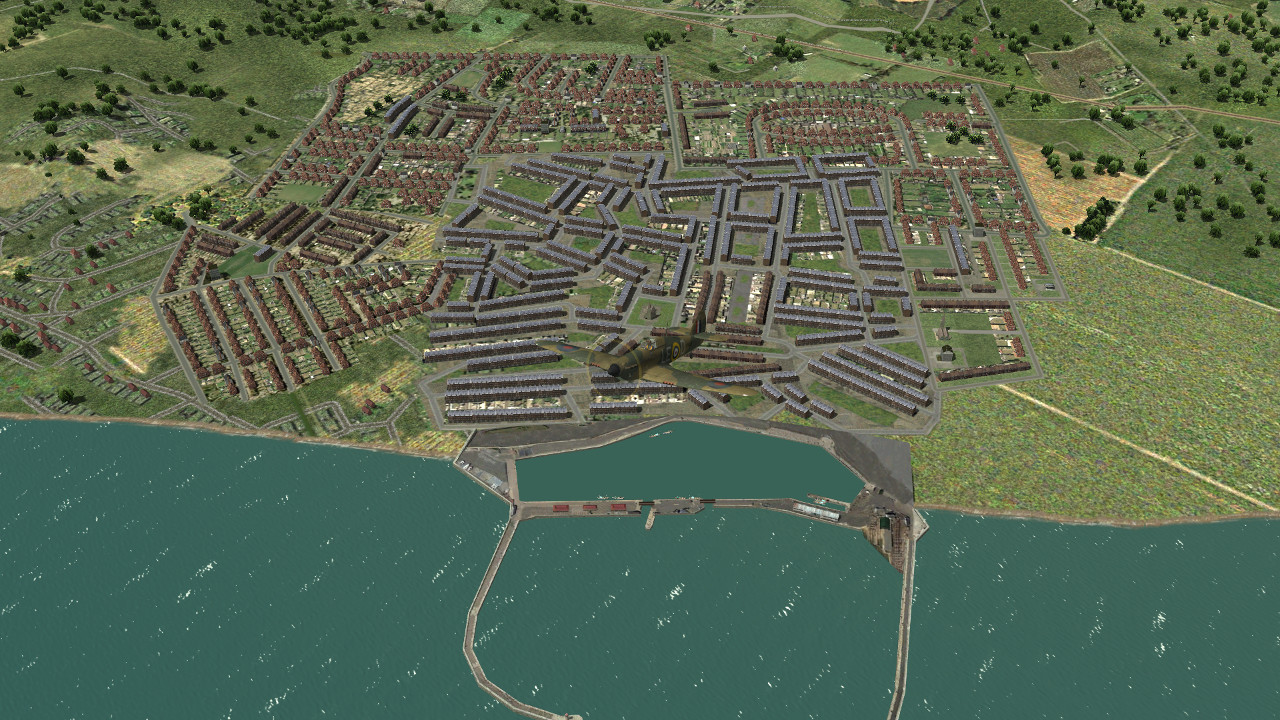
Wow Glenn, that's looking so good! I like the calm water in the inner basin
Thanks Clive, I still have a few more housing and urban textures ready for placements. Once you get into it , I find the process becomes pretty addictive.
I had to use the fake water texture in order to get the harbour to interface with the terrain, the calm water effect seems to be an added bonus.
I was listening to this interesting audiobook while working. I love Dan Jones's documentaries as well. British history can be so intriguing as well as pretty brutal.
I had to use the fake water texture in order to get the harbour to interface with the terrain, the calm water effect seems to be an added bonus.
I was listening to this interesting audiobook while working. I love Dan Jones's documentaries as well. British history can be so intriguing as well as pretty brutal.
Last edited:

65olschool
SOH-CM-2025
Wow looks great
Lovely stuff!...not my words..
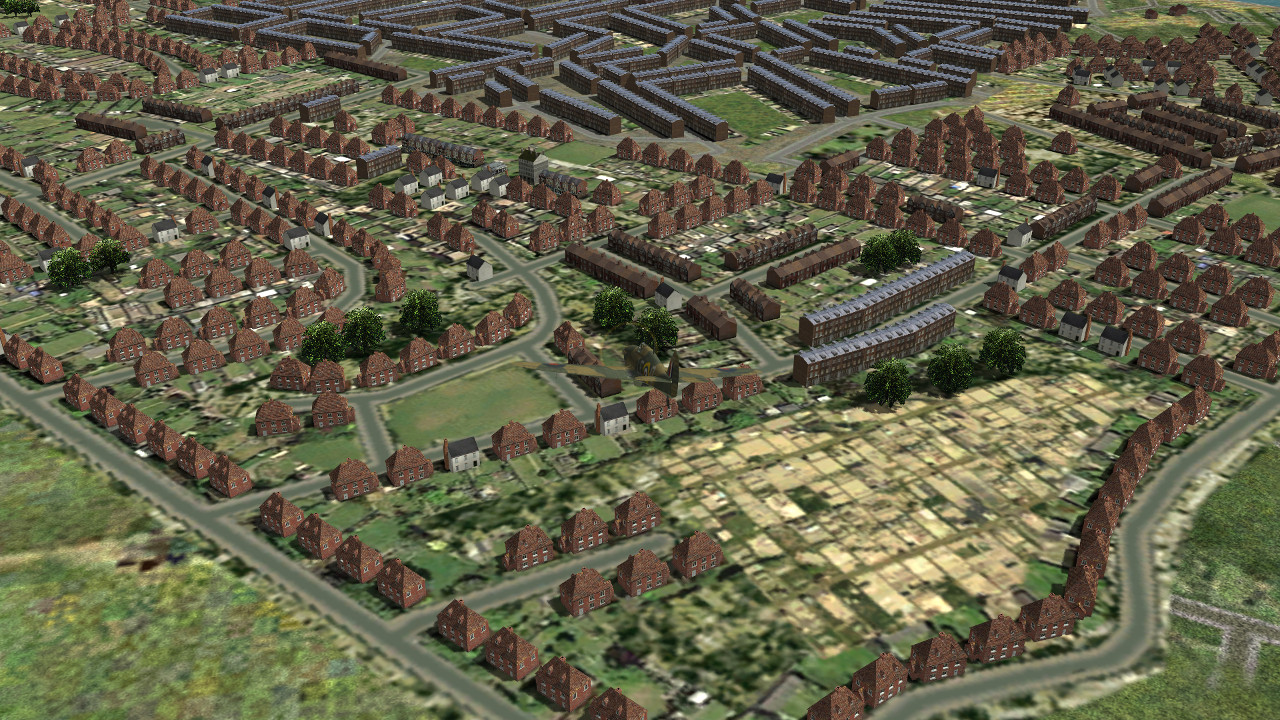
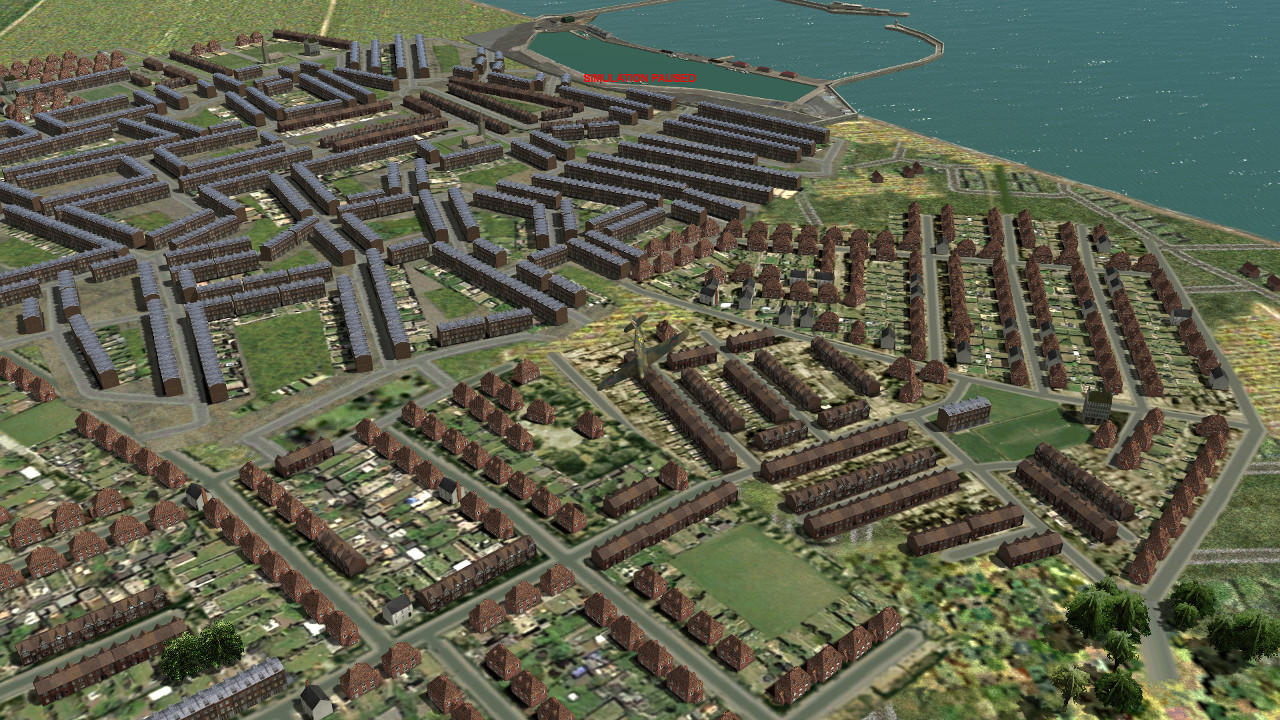
It's all coming together beautifully G. The rear gardens and allotments are superb. Mix of housing very good (IMO still think the slate roofs are a little light in colour?). The circle/crescent housing is fantastic detail. The need of the inner harbour tex, looks good, calm water difference is maybe even more realistic.
Would it be possible to have 'rougher', uneven housing on the outskirts, rather than the neat straight lines?
Cheers
Shessi
It's all coming together beautifully G. The rear gardens and allotments are superb. Mix of housing very good (IMO still think the slate roofs are a little light in colour?). The circle/crescent housing is fantastic detail. The need of the inner harbour tex, looks good, calm water difference is maybe even more realistic.
Would it be possible to have 'rougher', uneven housing on the outskirts, rather than the neat straight lines?
Cheers
Shessi
Thanks 65olschool and Shessi.
You are right about things looking a bit too orderly round the edges. I will probably added some rough village facilities to counter this.
This is a wip and I will change and improve things as I create more housing facilities.
I added reflection to the dark slate roofing and this is the result which sometimes shows darker, sometimes lighter. I'm not sure if it's my graphics card or Ankor's shaders which causes this inconsistency. I will probably remove the reflection effect and have the slate roofing a mid grey colour.
There will also be an optional grey slate texture for the house model for more historical accuracy.
Here you can see the roofing showing a darker colour with reflection effect visible in the top right corner. I have other sims on my pc which don't display this graphic inconsistency. Later today I will delete the zx files and see what happens.
You are right about things looking a bit too orderly round the edges. I will probably added some rough village facilities to counter this.
This is a wip and I will change and improve things as I create more housing facilities.
I added reflection to the dark slate roofing and this is the result which sometimes shows darker, sometimes lighter. I'm not sure if it's my graphics card or Ankor's shaders which causes this inconsistency. I will probably remove the reflection effect and have the slate roofing a mid grey colour.
There will also be an optional grey slate texture for the house model for more historical accuracy.
Here you can see the roofing showing a darker colour with reflection effect visible in the top right corner. I have other sims on my pc which don't display this graphic inconsistency. Later today I will delete the zx files and see what happens.

gecko
Charter Member
Getting reflections right can be tricky, and I wouldn't necessarily trust other sims either. Really you'd have to sit on a hill overlooking a bunch of slate roof houses at different times of day and different weather conditions.
Ankor's shaders are factoring in the color of the sky and clouds above it, so it will look differently in cloudy conditions vs sunny, as well as of course the angle of the sun and your viewing angle to the model. In your model, both the strength and clarity of your reflections can be adjusted independently of each other. A specular texture can then add more granular control of the strength of the reflections seen on each pixel of the texture, but this is relative to the underlying value already set in the model.
Ankor's shaders are factoring in the color of the sky and clouds above it, so it will look differently in cloudy conditions vs sunny, as well as of course the angle of the sun and your viewing angle to the model. In your model, both the strength and clarity of your reflections can be adjusted independently of each other. A specular texture can then add more granular control of the strength of the reflections seen on each pixel of the texture, but this is relative to the underlying value already set in the model.
The darker roof reflection colour seems to be caused by reduced sun intensity in Cfs3. You will notice in the last pic that overall brightness is reduced when compared with the previous pics. This sometimes occurs when using gimp to work on terrain textures during a pc session. If I shut down and start a new pc session, on firing up the sim the sun intensity is at it's normal brightness and the roof reflection colour is brighter. Regardless, I will have to reduce the roof material reflection intensity in gmax.
Discovered two issues today.
One.. I'm using the same building texture file for two different models to reduce fps, so I have two textures of the same name in the cfs3 install. The one texture has lighter roofing and the other darker, which explains the changing roof colour of my large city terrace building.
Two..For some reason changing certain textures results in a degradation in overall game lighting which is fixed by nuking the zx files. These files are recreated on restarting Cfs3.
PRE ZX FILES NUKING POST ZX FILES NUKING
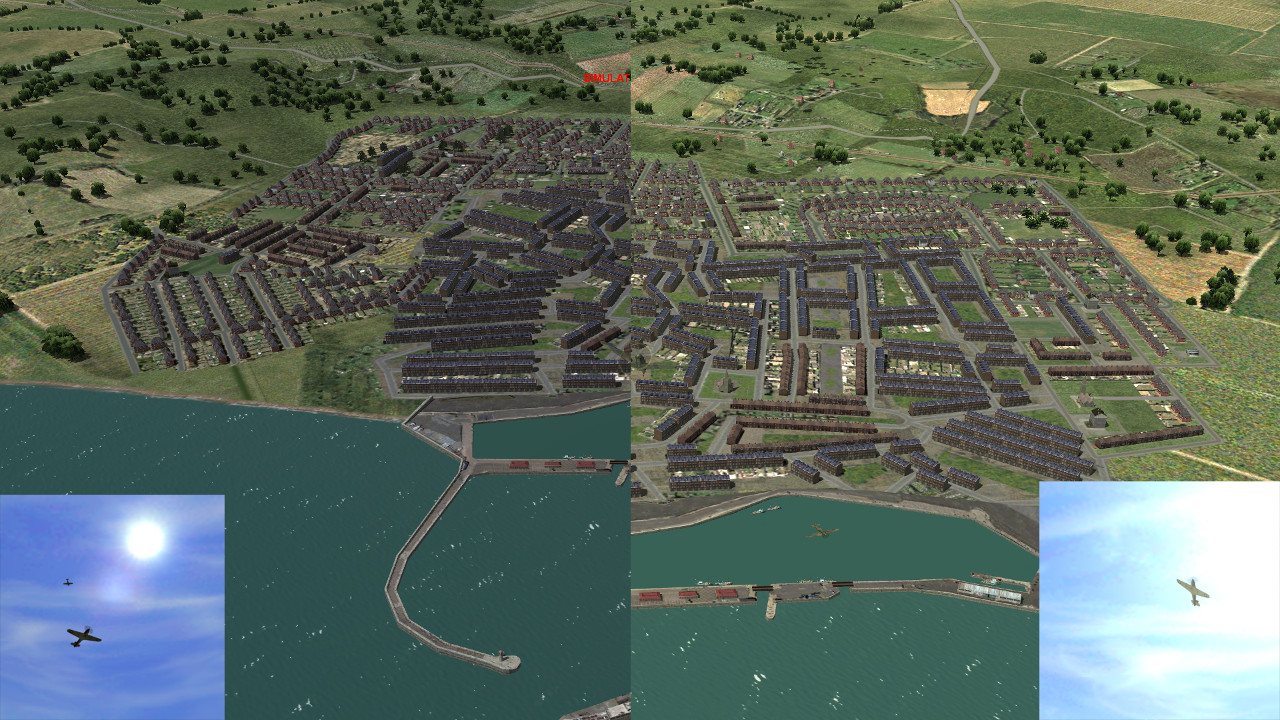
Ive changed the house roof texture to dreary grey slate.. I have to grudgingly admit that it does improve the blending of the main urban terraced block and the housing blocks in Ramsgate.
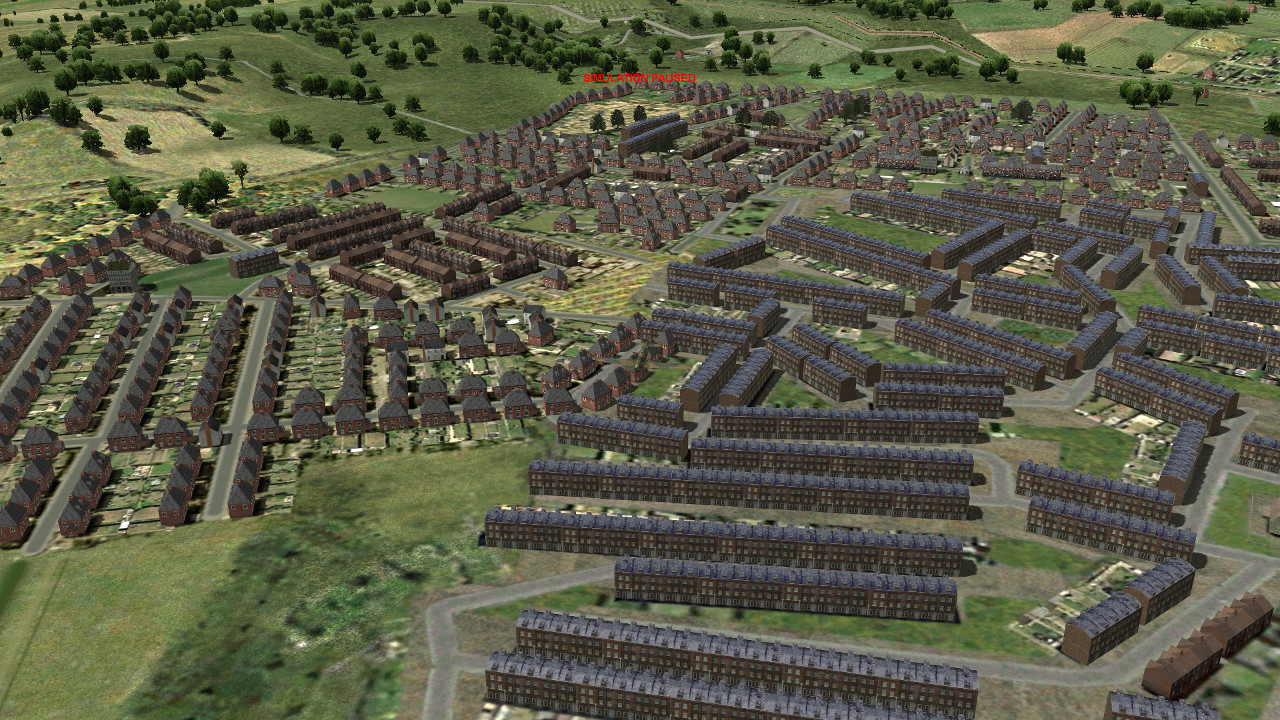
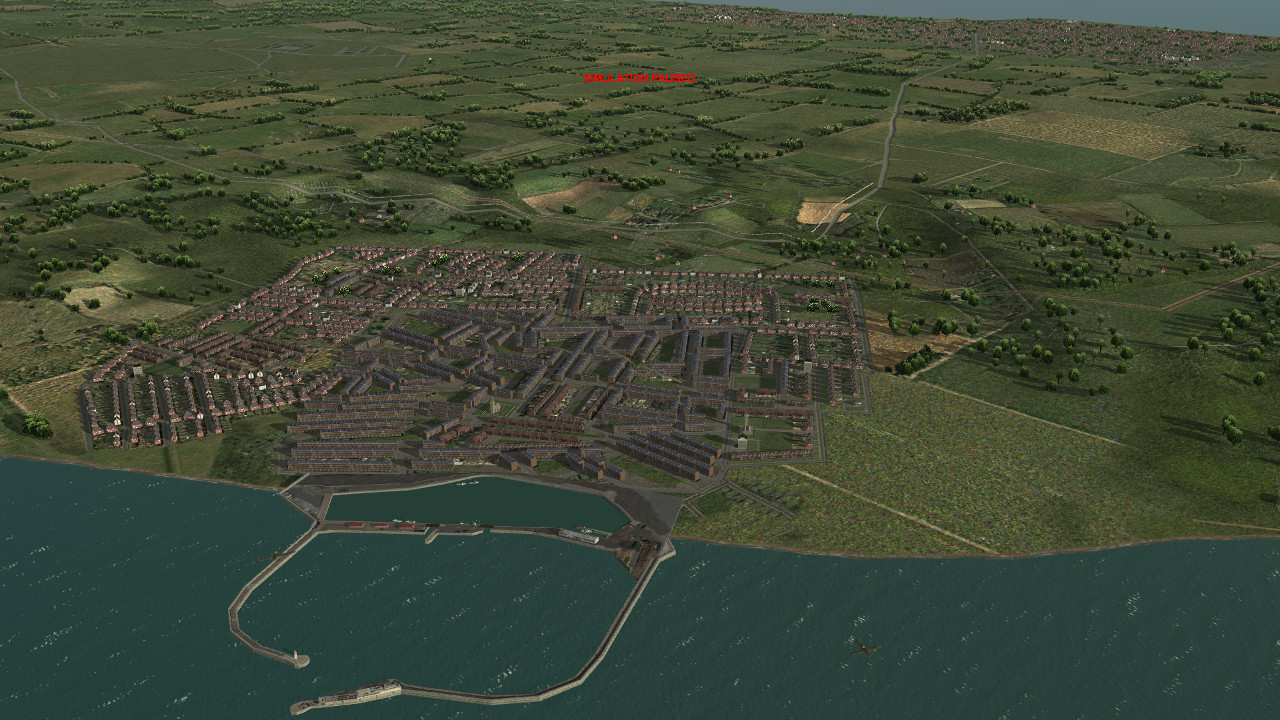
One.. I'm using the same building texture file for two different models to reduce fps, so I have two textures of the same name in the cfs3 install. The one texture has lighter roofing and the other darker, which explains the changing roof colour of my large city terrace building.
Two..For some reason changing certain textures results in a degradation in overall game lighting which is fixed by nuking the zx files. These files are recreated on restarting Cfs3.
PRE ZX FILES NUKING POST ZX FILES NUKING
Ive changed the house roof texture to dreary grey slate.. I have to grudgingly admit that it does improve the blending of the main urban terraced block and the housing blocks in Ramsgate.

Hi Rince,
You're doing a fantastic job.
Feel free to use any of our Westfront group's CFS2 objects in the Great Britain Landmarks and Library Object Expansion packages. There are some more gas holders as well as the wartime Battersea Power Station with only two chimneys.
Cheers,
Kevin
You're doing a fantastic job.
Feel free to use any of our Westfront group's CFS2 objects in the Great Britain Landmarks and Library Object Expansion packages. There are some more gas holders as well as the wartime Battersea Power Station with only two chimneys.
Cheers,
Kevin
Thanks Bob, kdriver and Shessi.
I have the Cfs2 Bob install stored on a 2nd Hdd. I forgot that that could be a source for alternative or new landmarks and buildings. Thanks, I'll look into this.
The Eto install makes changes to the models and terrain and the bdp and zx zapper deletes the old bdp and zx files so that the new changes can take effect, so it seems that deleting the zx files is crucial when making terrain or terrain texture changes.
I copied the ETO zx zapper.exe file to my Bob main install and deleted all zx files in my terrains and terrains2 folder which fixed the problem.
Yesterday I encountered the same issue and manually deleted just the lcmosaic.zx file which did the trick. lcmosaic.zip contains mos, lso and dds files.
I have an assets folder which contains my reworked terrain textures and landclass file.
Looking at the Ramsgate morning screenshot I noticed that I still need to raise the altitude of housing blocks in the rear to eliminate the crater effect.
Feel free to use any of our Westfront group's CFS2 objects in the Great Britain Landmarks and Library Object Expansion packages. There are some more gas holders as well as the wartime Battersea Power Station with only two chimneys.
I have the Cfs2 Bob install stored on a 2nd Hdd. I forgot that that could be a source for alternative or new landmarks and buildings. Thanks, I'll look into this.
The lighting degradation happens when I work on terrain and facility mos textures. I have no idea why this would cause lighting issues.The first issue makes sense, the second one I've never encountered. Can you give more details? What kinds of things are affected? Which zip/zx files are involved? What are the contents of those zips, and do they have duplicates in your install that are not in zip folders?
The Eto install makes changes to the models and terrain and the bdp and zx zapper deletes the old bdp and zx files so that the new changes can take effect, so it seems that deleting the zx files is crucial when making terrain or terrain texture changes.
I copied the ETO zx zapper.exe file to my Bob main install and deleted all zx files in my terrains and terrains2 folder which fixed the problem.
Yesterday I encountered the same issue and manually deleted just the lcmosaic.zx file which did the trick. lcmosaic.zip contains mos, lso and dds files.
I have an assets folder which contains my reworked terrain textures and landclass file.
Looking at the Ramsgate morning screenshot I noticed that I still need to raise the altitude of housing blocks in the rear to eliminate the crater effect.
Last edited:
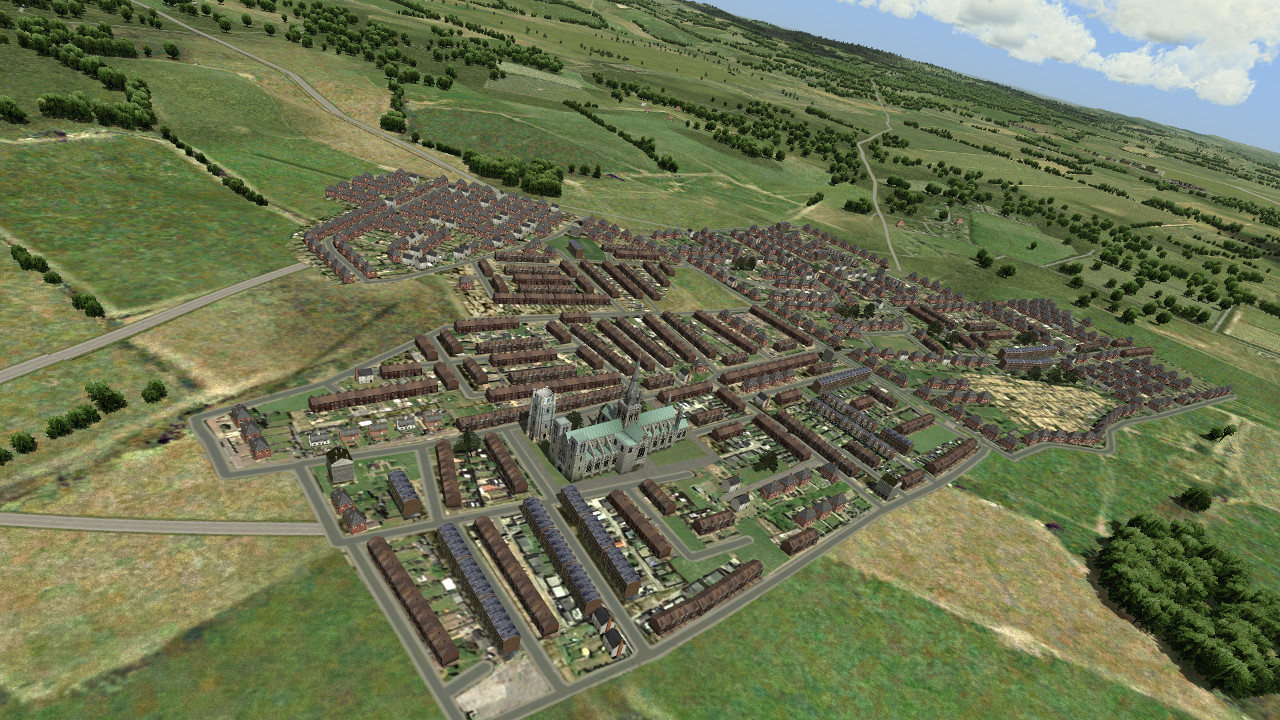
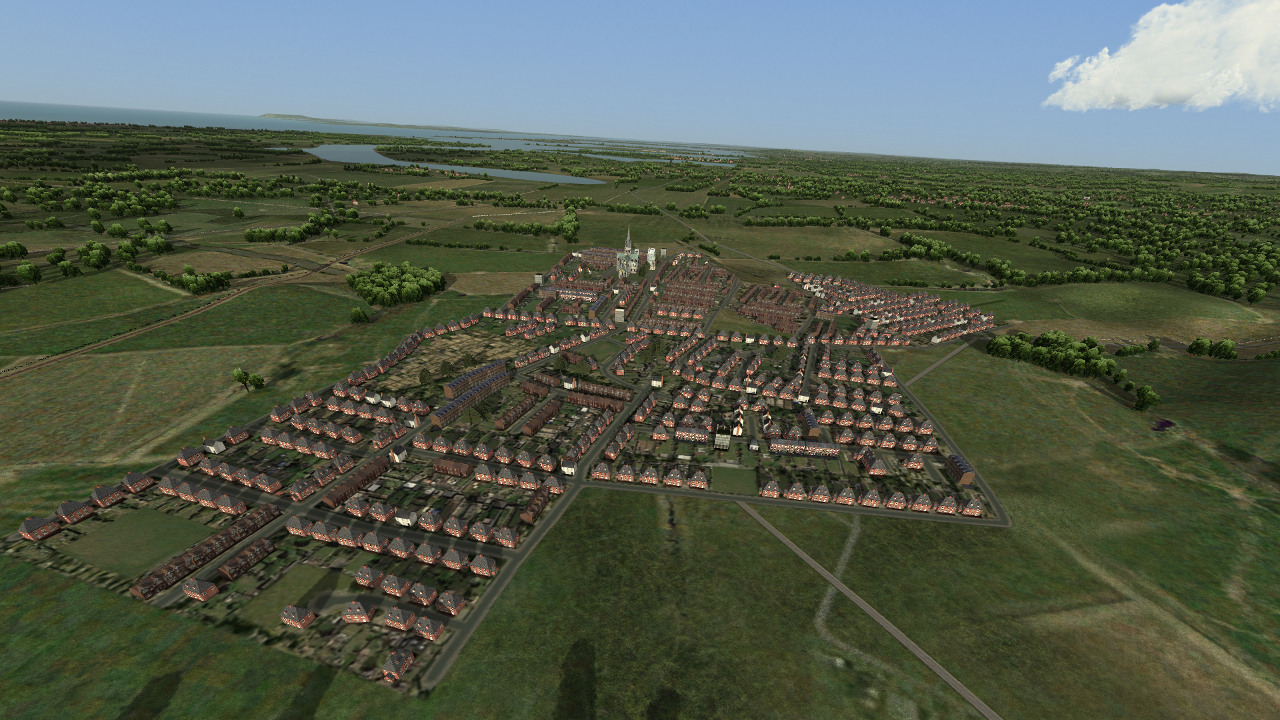


Thanks mongoose and Shessi
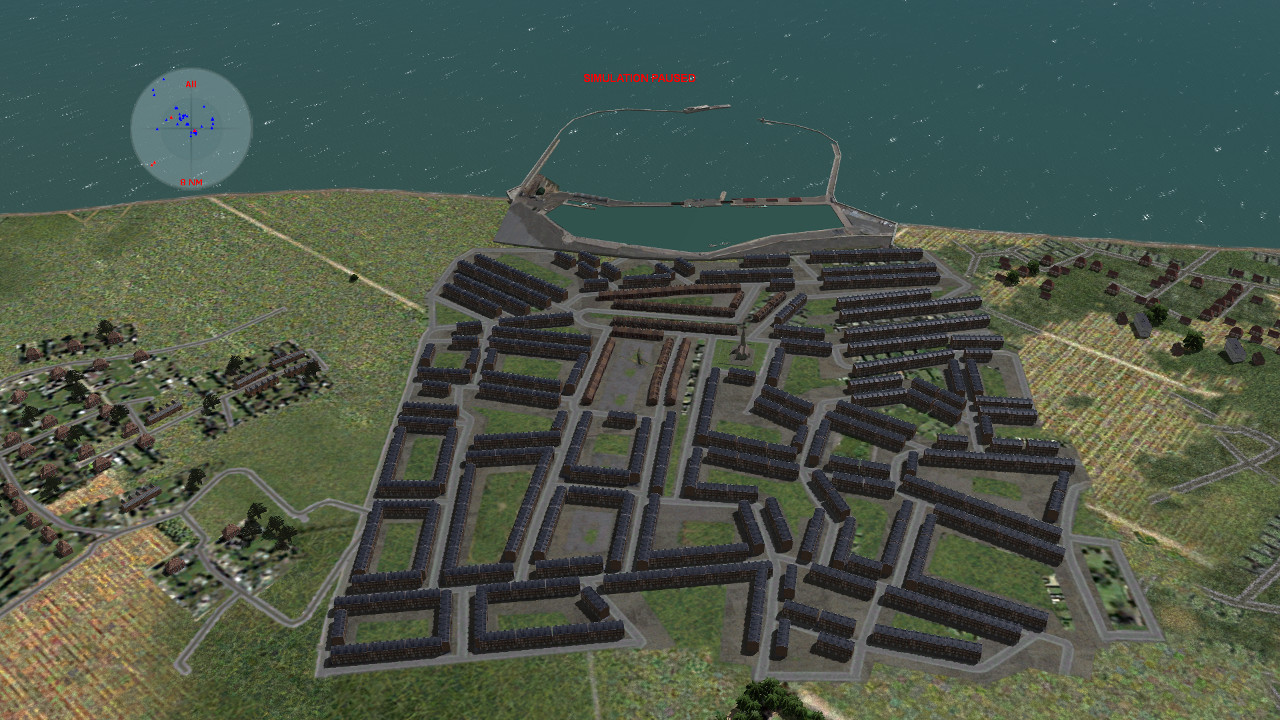
I created another housing block and expanded Chichester towards the railway line, and featuring my latest Bognor Regis wip.
Things change as I create more and better housing facilities. Placements of these via the Global layer goes quicker as I get used to working with the co-ordinates and distances, so populating the map is a fairly quick and easy affair.
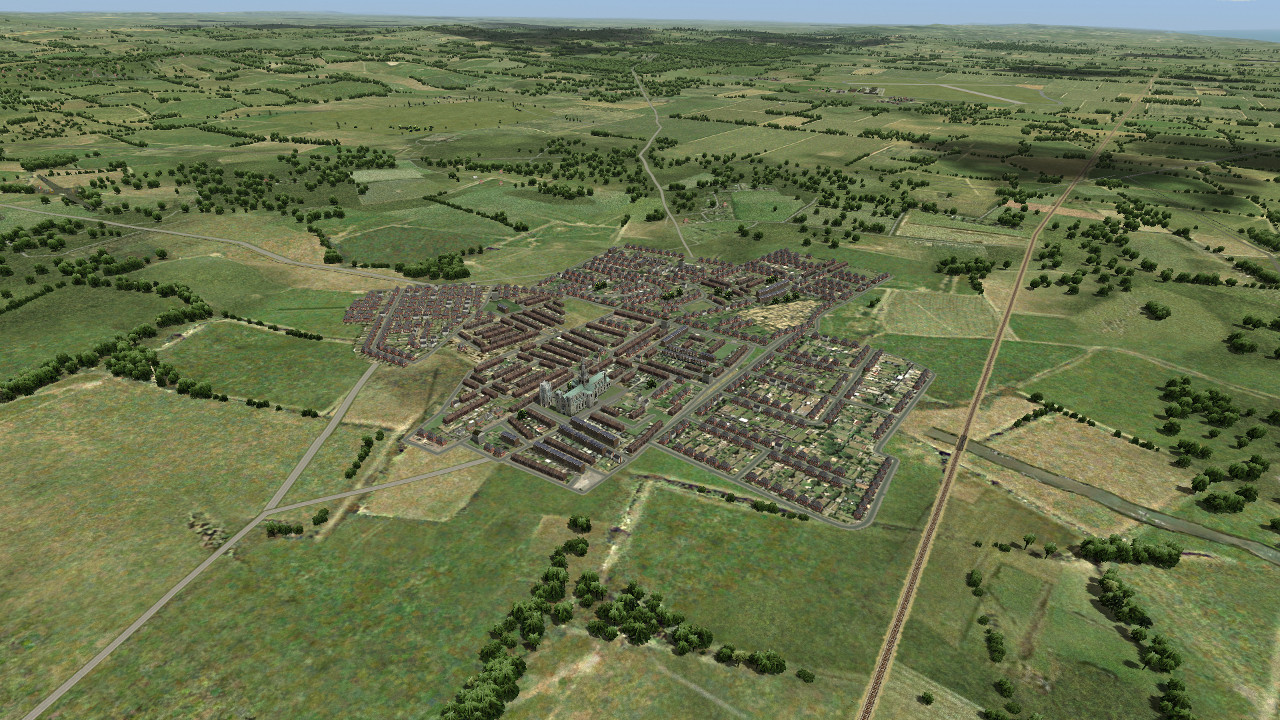
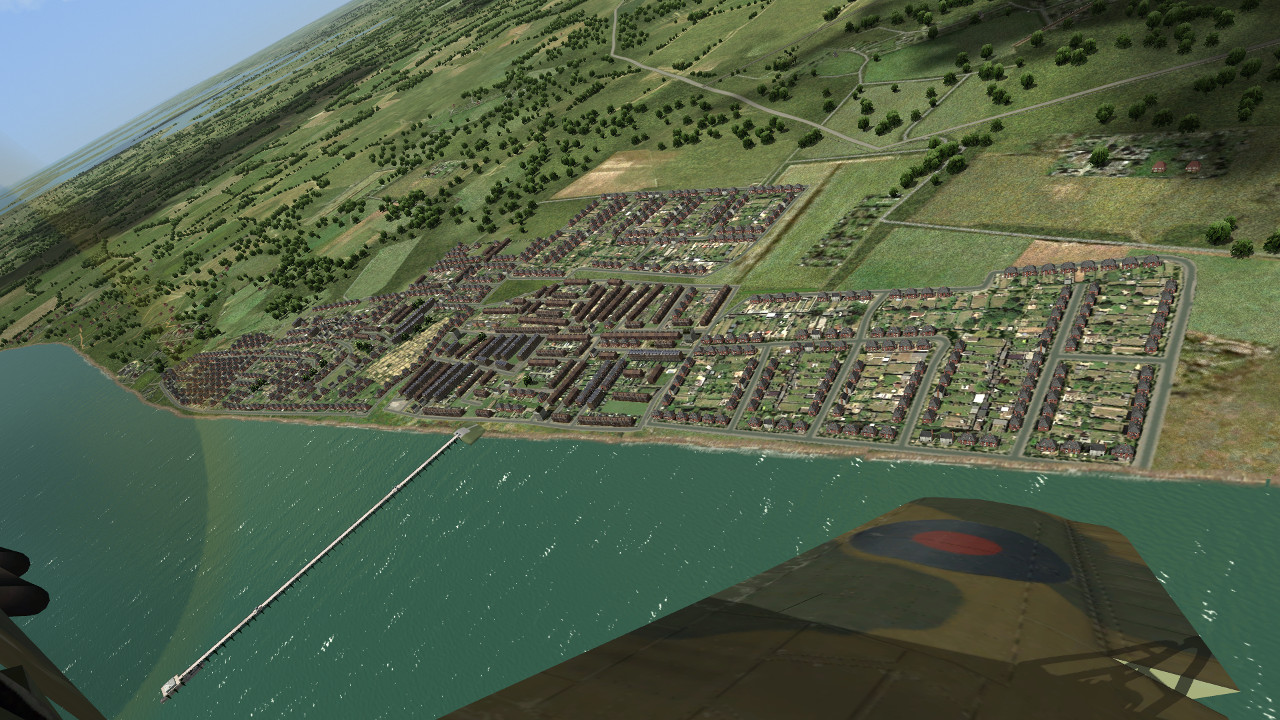
I created another housing block and expanded Chichester towards the railway line, and featuring my latest Bognor Regis wip.
Things change as I create more and better housing facilities. Placements of these via the Global layer goes quicker as I get used to working with the co-ordinates and distances, so populating the map is a fairly quick and easy affair.
Last edited:
G,
Been looking at your WIP (nice pier). Would it make things look a bit more realistic and easily 'rougher', if you put small rows and odd houses/pairs of houses dotted about on the outside edge of the roads, that run round the outside of your towns? Rather than finishing with a smooth clean road.
Cheers
Shessi
Been looking at your WIP (nice pier). Would it make things look a bit more realistic and easily 'rougher', if you put small rows and odd houses/pairs of houses dotted about on the outside edge of the roads, that run round the outside of your towns? Rather than finishing with a smooth clean road.
Cheers
Shessi