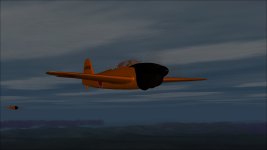
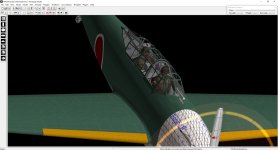
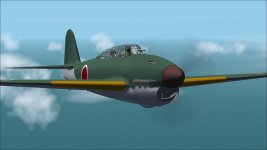
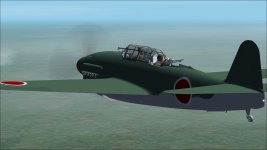
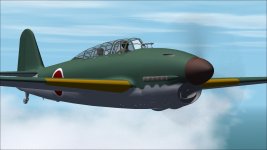
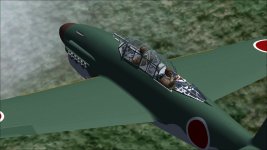
As all way’s, I’m not good in “painting,” “DP” and specially in “Air” Files so here is a request for voluntaries. I have a Zip file of about 20 MB with the actual Model (No LOD models), a FS2000 Model for “DP Edit”. All Texture files with extra PSD files in format 2048 x 2048.
Remark: the Aircraft is not finished yet, so I’m going to rework a few animations, Especially the rear gunner animations. Also, there are a few Damage parts not ready yet.
The final model will be breakable and will come with bullet holes.
The Rear gunner animation works with the two Concorde nose Key’s ( you have to enable them in the key settings to get it to work)
So for all who are interested please send me a private Message
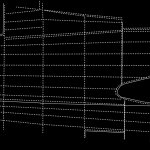
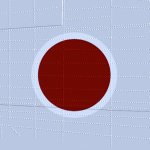
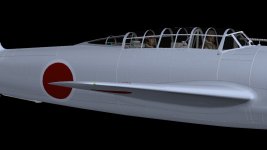
I saved the texture Template as a 4096 x 4096 file, then I created the lines and rivets, I saved the lines and rivets only as a “negative” (background black and lines/rivets white) (Picture 01) and the texture file without lines and rivets (Picture 02). Then I load both files on a square pane, the texture file as “Diffuse” (Picture 02) base file and the black and white rivet and Lines file as a “bump” map. Then I render the Image. After resized the rendered file to 1024x1024 I saved the File into the texture folder with an amazing 3d effect.
This was an experiment, I have to play with the “Bump” -should be more grey than black an white, an I have to adjust the light in the Render app.
wolfi
OK, it appears, that the pictures are the same, as in my post before, but with new quality settings in the CFS2 “CFG” file. Because of the washed-out textures in the first post, I looked into the “CFG” file, the texture setting was “TEXTURE_MAX_LOAD=512”, I set it to “TEXTURE_MAX_LOAD=1024”. I tried 2048 but that doesn't work
!!! Warning!!! Make every time a backup of the “CFG” before you change settings !!!
This site uses cookies to help personalise content, tailor your experience and to keep you logged in if you register.
By continuing to use this site, you are consenting to our use of cookies.