DC-4 Skymaster

Thank you Ed, I’m getting to the 500 GB of documentation just for the PDFs :cool:

I have gone through the entire document and indeed pages 282-284 provide information but do not give the solution.
Fortunately, on the pages concerning the fuselage we have the areas of these compartments and precisely the internal structure of the aircraft. According to this structure, I think that my hypothesis of sliding doors cannot be retained: they must pivot upwards, the articulation being on the upper part of the opening.

For the B377, I will wait to finish this one ;)
 
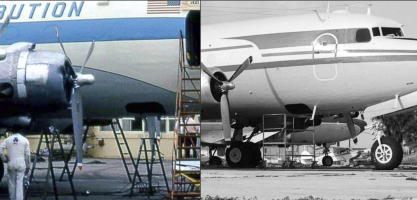
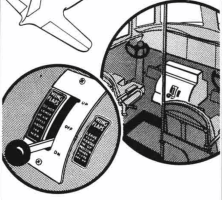
By rereading in detail the book the "DC-4 to Air France" in the ICARE collection that I finally received, I was able to get a close-up image of the front hold ... unfortunately in black and white.
By searching more thoroughly on the Internet, I isolated two images this afternoon that show this part of the plane with great clarity.

1774111827740.png

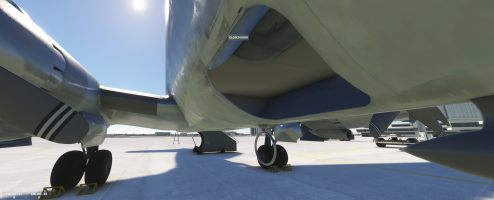
There is no doubt: the door opened inwards, I am convinced of it, but while pivoting relative to the upper part of the opening of the cargo hold (problem with the heaviness of the door) or was it sliding toward forward?

I am increasingly convinced that the second solution is the right one and I think that this door was sliding forward in a way (intuition).
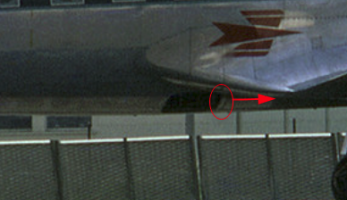
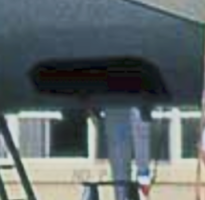
By magnifying the image of Meridien I discovered a detail that I hadn’t seen yesterday.

1774112275952.png
 
Possible but the two "notches" are not present on the others images ... so ???
A sliding door is more easy to animate :p

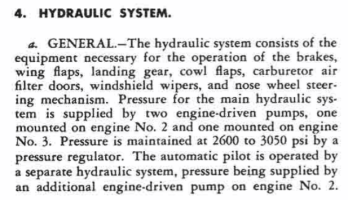
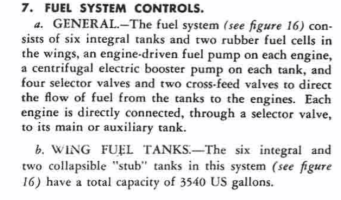
To address some of Hollister’s concerns, while reading his manual, I found some information :
1774115223184.png
so hydraulic pressure is obtained only by two engine-driven pum one inboard and one outboard, you are right.
But in the system.CFG, I don't know it engine_map parameters is for engine-driven pumps or electric pump ... I have to read the SDK.

The C-54 has 8 electric boost pump (switchs are on the overhead and are three-positions). I should verify if the DC-4 has the same equipment.

1774115871122.png
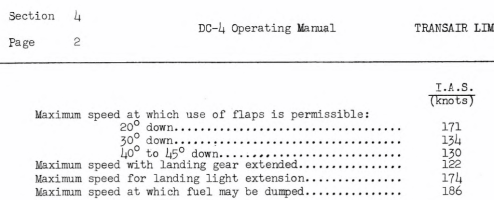
For wing flaps, I should read ALL manuals to see that Douglas has made in each aircraft (DC-4 or C-54)
In the Checklist, I see :
- Take-off : 15°
- Approach : 15°
1774117773652.png
Currently, the animation used on the exterior model is : l_flap_percent_key or r_flap_percent_key.
For the lever, the XML code used is:
<UseTemplate Name="ASOBO_HANDLING_Lever_Flaps_Template">
<DRAG_DELTA>0.03</DRAG_DELTA>
<USE_TRAJECTORY_DRAG_MODE>True</USE_TRAJECTORY_DRAG_MODE>
<INVERT_IM_DRAG_INPUT_SCALAR>False</INVERT_IM_DRAG_INPUT_SCALAR>
<ANIMTIP_0_ON_PERCENT>0</ANIMTIP_0_ON_PERCENT>
<ANIMTIP_1_ON_PERCENT>0.25</ANIMTIP_1_ON_PERCENT>
<ANIMTIP_2_ON_PERCENT>0.37</ANIMTIP_2_ON_PERCENT>
<ANIMTIP_3_ON_PERCENT>0.50</ANIMTIP_3_ON_PERCENT>
<ANIMTIP_4_ON_PERCENT>0.62</ANIMTIP_4_ON_PERCENT>
<ANIMTIP_5_ON_PERCENT>0.75</ANIMTIP_5_ON_PERCENT>
<ANIMTIP_6_ON_PERCENT>1</ANIMTIP_6_ON_PERCENT>
<ANIMTIP_0>Flaps: 0</ANIMTIP_0>
<ANIMTIP_1>Flaps: 10</ANIMTIP_1>
<ANIMTIP_2>Flaps: 15</ANIMTIP_2>
<ANIMTIP_3>Flaps: 20</ANIMTIP_3>
<ANIMTIP_4>Flaps: 25</ANIMTIP_4>
<ANIMTIP_5>Flaps: 30</ANIMTIP_5>
<ANIMTIP_6>Flaps: 40</ANIMTIP_6>
<USE_ANIM_TRIGGERS/>
<DRAG_ANIM_LAG>200</DRAG_ANIM_LAG>
<BUTTON_ANIM_LAG>500</BUTTON_ANIM_LAG>
<USE_TRAJECTORY_DRAG_MODE>True</USE_TRAJECTORY_DRAG_MODE>
</UseTemplate>

The limitation (flaps cannot be > 15°) during the take-off seem to be induced by this code ? if it is the reason I will modify the lever management.
I would investigate ...
 
Last edited:
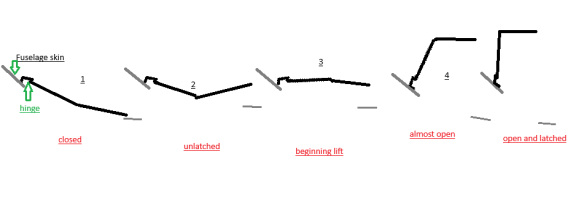
Didier, without access to CAD software right now, the best description is an analogy and a very crude drawing..
Take a hard-bound book, holding it wide open in both hands with the spine facing upward, the pages facing down.
Imagine your left hand as the 'upper' or outward side of the opening and your right as the edge nearest the centerline of the aircraft -looking aft.
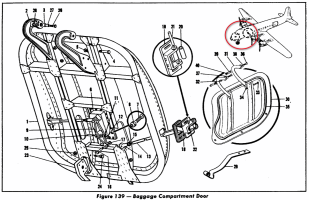
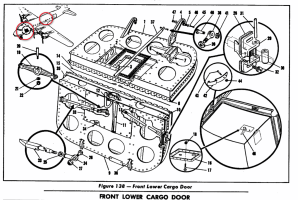
Upon releasing the latch (which is in the pages in your right hand) with the T-shaped "key", raise your right hand upward, holding that side of the 'book' level, parallel to the floor. Your left hand is the hinge attached to the fuselage (the large hooks in the diagram) so the left-hand pages now rotate to the vertical. At the fully-open position, the door is held open by a small spring catch (parts 42, 43, 44 in the diagram -Fig.139)
Lower Cargo door sequence.png
In Figure 138 on page 290 the part of the drawing circled in the lower right corner shows the door in the fully open position ( but viewed from the rear) and shows the T-handle "key in the latch mechanism. Interestingly, the small rectangle on the other half of the door opposite the key seems to be a small, removable panel that could be removed (outlined in black in the drawing of the inner side of the door) that probably allowed someone to reach in and manually release the latch if a "key" was lost or not available.
 
Srgalahad,

Thank you for your explanations, even if it was not very understandable at first reading by opening the PDF of Ed, by rereading your diagrams, I finally understood what you have published.

If I try to summarize, in fact there are 4 doors: two monobloc (baggage) and the other two (cargo) in two parts that are articulated longitudinally
- the "baggage compartment door" hold opens by pivoting on a pin which is located on the highest part of the opening in the fuselage and remains blocked in high position by a system which undoubtedly hooks it to the ceiling of the cargo hold.

1774171618292.png

- the "front main cargo door" and the "rear lower cargo door" opens on the same principle but it consists of two articulated parts (as with the example of your book), the first part simply pivots upwards while the second part remains horizontal ... probably because of the reduced height in the hold which would not allow a door constituted like that of the front hold.

1774172127735.png

When I read the document, I was trapped by the diagram of this luggage compartment door that misled me and by the photos found which, due to their direction of shooting, did not allow seeing the door in an open position because hidden by the fuselage. It was a bit difficult but now I think that is clear but I have to find theses baggage compartment doors on the fuselage (front part) ...

I will try to perform a quick modeling in the morning to illustrate this but I think you have me on the right track.

[EDIT]
Here the result of quick modifications :
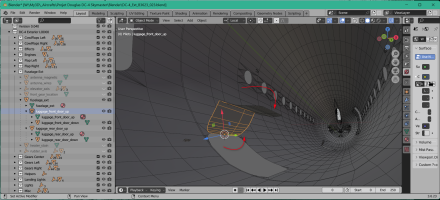
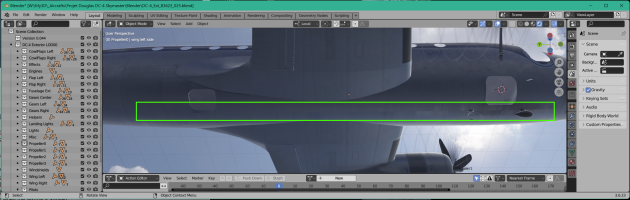
- The two part of luggage doors are isolated from the fuselage exterior and they are rotated according Y axis (green axis - in the longitudinal aircraft's direction)
- The upper part turns 100 ° to be almost vertical and the lower part turns downwards 90° to be parallel to the ceiling of the cargo hold

1774191360149.png

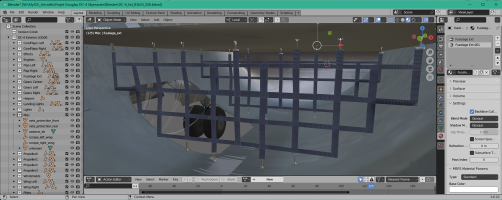
It is now necessary to model the interior of the cargo hold and the thickness of each door ;)
Thanks for yours contributions !

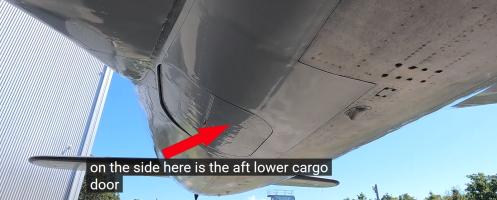
Finded this afternoon: a walkaround with a great image of the rear luggage door :

1774193904396.png
 
Last edited:
I was struggling to understand Sirgalahad's descriptors as well - now it makes sense. It looks like a bit of work to model these doors into the project, Didier - As our old boss liked to ask 'is the juice worth the squeeze?'
I love all the work you've done here !
 
Yes, I think.

First, the work to do it was not so great ... as I just finish to modelized theses hold doors, the XML code is OK and I am testing my first version with this new function: during the flight inspection you will shutdown hold doors with the mouse !

Second, I have in mind to improve the Flight Replicas model so it's a simple and interesting thing to add in order to increase the immersion.

In this addition, the most complicated thing was to gather information to know how it worked. Everyone contributed and once all this was "on the table" (this morning, I have understand the "howto" ), it only took me two or three hours to model, animate and duplicate the XML code of the crew door to increase the realism of this aircraft.

By finishing applying the textures and joining the interior of the holds to the fuselage, I found myself thinking back 40 years when I worked at LFPO - Orly loading the front cargo hold of the Concorde ... it’s a sacred memory that came back to me so yes it was worth it. :cool:

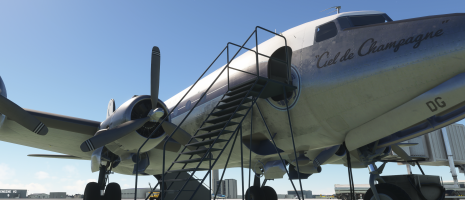
In Exterior view when the DC-4 is on the parking hold doors are open - on hangar and on the runway, two locale variables initialzed at 0 will closed theses doors to be more realist.

1774204096000.png

In Interior view, during the flight inspection (as the function that I have introduced in the Stearman and the Aeronca ...) you can click on each hold door to finish to load luggages in the aircraft (I should add some luggages and and protective nets to complete the reality of this new function.

1774204239394.png

The CTRL+E procedure is also valid:
1) the crew and passenger doors are closed by the steward and the hotess,
2) the holds doors are then closed (maybe it would be necessary to add a suitcase and a luggage cart without forgetting a baggage handler in a blue jumpsuit)
3) the stairs are removed slowly ... ,
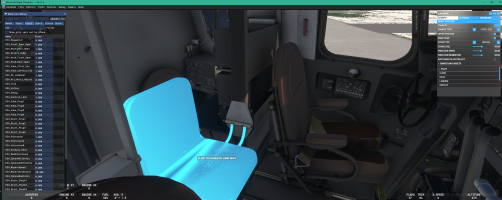
4) pilot and copilot are sitting on their seats and begin the checklist (2 or 3 s)
5) the third engine begin it pull-through and start ....

BINGO, the stuff is done in a afternoon (y)

PS: the tooltip is incorrect: it should display "Click to close the door" :( ... :banghead:
 
Last edited:
Back
Top