Yes Denny, sometimes it is good to say no or later maybe

Over the past two days, I wanted to validate some ideas regarding this addon’s architecture.
Under 2020 it was possible according to the SDK to be able to add after compilation one or more objects to a 3D set via the
AttachModel and
MergeModel functions. Unfortunately, both properties
were declared as Beta in 2020-2021 and not supported on Blender, unlike 3DS Max.
In 2023, with the Stearman,
I managed to get AttachModel to work and add a decorative element to the entirely blue Stearman , proof that the SDK had made progress but that the documentation was not following (
it is still not up to date today).
Currently, stairs for passengers and grown power unit are manage as AttachModel with Blender.
I just spent two days trying out the
MergeModel and
in the end I managed to make it work:
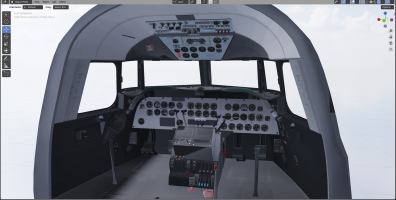
- the interior structure of the plane is a compiled object (DC4_interior_LOD00.gltf / DC4_interior_LOD00.bin)
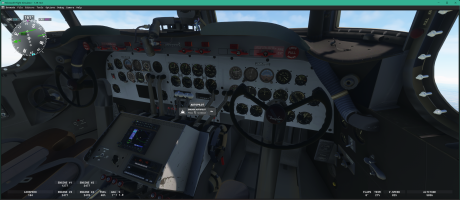
- and the complete VC is another set of objects (vc_modern_LOD00.gltf / vc_modern_LOD00.bin ) that merges with the first.
Finaly, the last Asobo v1.3.3 plugin with Blender 3.6.23 support a lot of things that the Vitus's plugin and Blender 2.83 did not supported in 2021 ... but the documentation isn't updated at this day.
View attachment 188329
With AttachModel, there was no interaction possible with the elements of the attached set; now
with MergeModel, you can interact, for example, with the buttons of certain gauges. But in both cases, if the attached or merged objects have animations, they remain operational: stairs can move when the engines are starting ...
Yesterday,
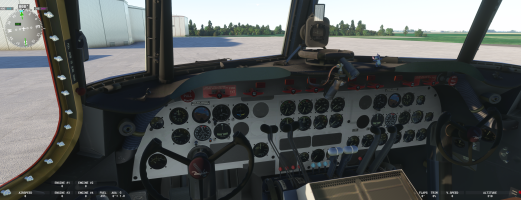
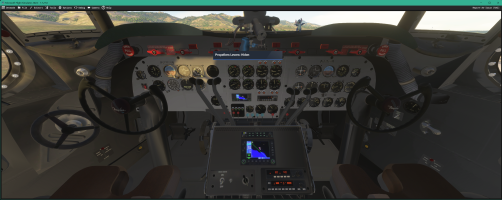
so the VC finally worked on the DC-4, which allows me to work independently on the VC or the interior and only compile what is necessary.
View attachment 188328
This also allows you to change a modern VC, not a vintage one, simply by modifying a few lines of XML code.
At the same time as I was working on this, I cleaned up the files I had left in suspension and now I have :
- 3 available VCs (
one modern and two vintage),
- 2 external models
- and 2 internal models.
So add and other variation, for example an Argonot variation can be something much more easier ... now
For vintage VCs, the animation code is still that of FSX/P3D, but the work required to make it work as it is in the C-54 must be one or two days at most. It will switch to Model Behavior when I have some time and "
to change my mind" (it's a hobby not a work
).
All this allows me to say that the project is moving faster than in recent weeks,
which is very encouraging.


 without being addicted, I missed it a bit these last two days. Having been an admin for over 30 years, I know how stressful these operations can be and how difficult they can sometimes be. Therefore, a big thank you for the team.