DC-4 Skymaster

I don't have this addon so I don't know.
It's $25, so if you're on a tight budget, you may think twice, but it really is a nice addon. The visual enhancements are well worth it - at least to me.

 
I know it perfectly but as a developer I try to keep my simulator as true as the original to avoid conflicts. Moreover, it allows me to offer addons that will not depend on this or that complement.

Honestly, I won’t be able to test my planes with all the supplements that appear on sale so I remain as "vanilla" as possible, at least it’s my choice ;)
 
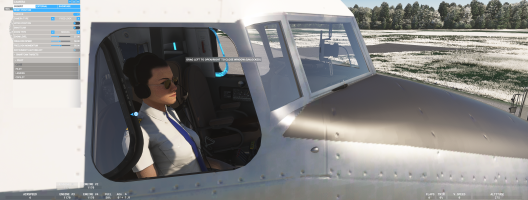
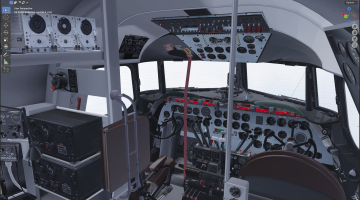
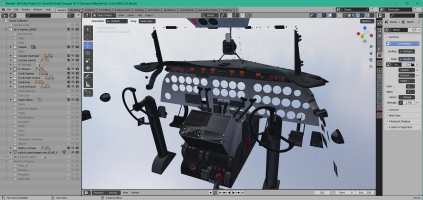
Cockpit windows for Pilot and CoPilot are now functional :
- unlatch the red lever
- drag right/left the button on the window frame to open/close it.

PS: Currently, we can take off with the windows open but if they are, we can no longer close them, so the XML code will need to be slightly revised.

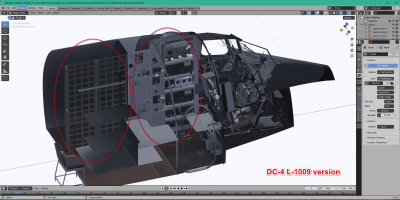
The extra polygons around the cockpit windows (fuselage exterior) have been cleaned, a bit too much because I have some holes that are visible.
It will simply be necessary to make a copy of the interior cockpit in the exterior model and redo these joints in order to fill the holes (this interior cockpit would be removed at the end of this filling step).
A black rubber seal added around the windows on the exterior model could also do the job and perhaps more simply in order to hide these few handling errors.

1774708656085.png

Smoothing on the windows frames are not perfect and will be to redo :cool:

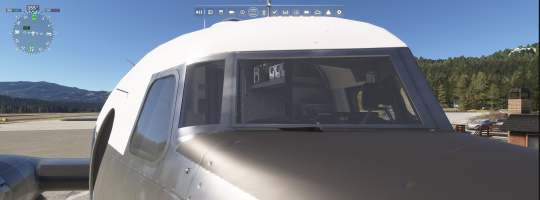
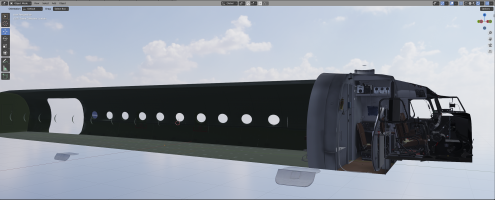
As we could see on the PBY, the rendering engines of MSFS have evolved: the inner and outer windshields must be inserted respectively in the inner and outer model under penalty of having unpleasant unwanted reflections under MSFS 2024. Currently, the aircraft can be used under the two simulators.

As I have just finished theses cockpit windows for the interior model, in order for the exterior glass and their details to be well rendered:
- I will need to duplicate the animated structure of the windows,
- that I add the exterior glaces with the appropriate materials and
- move them from the inner model to the outer model without losing any animations or details ....

The biggest problem is that both parts (interior and exterior) can move relative to the fuselage at the same time (there is always a slight time difference between the animations of the two 3D models when the internal animation occurs and we switch to an external view ), so it is also necessary that the variables used for these animations are available in both models ....

Engines vibrations on the exterior model 3D:
By visually studying the DC-6 from PMDG, I noticed that the engine covers as well as the flaps were animated by vibrations.

As the engines are installed on structures via silents-blocks, it should rather be the engines themselves that should vibrate; the engine covers being fixed to the structures they should be less subject to these vibrations.
Therefore, I created a empty for each engine block that I animated with vibrations and I related each engine block to each empty.

If you think that the engine covers should also vibrate, I can still associate each engine cover with the respective empty ... What do you think ?
 
Last edited:
Hello,

The project has been progressing very well for a few days:
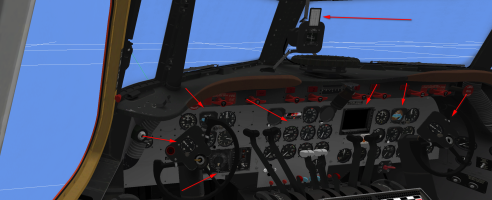
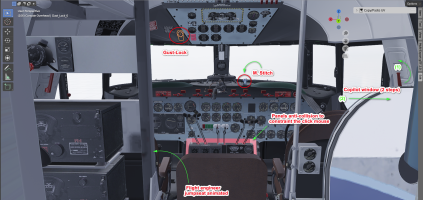
- the windows (pilot & copilot) are corrected and work perfectly (two commands are needed, one to unlock and an other to latch the window),
- the fliking on the radio window has disappeared: the curtain has been isolated and it is displayable or not via a simple click on the aerator located just above,
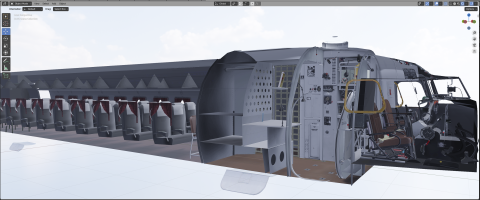
- the flight engineer jumpseat has been completed: the missing metal part that was supposed to be fixed on the other post behind the co-pilot has been added,
- the textures of the windows and the windshield are now perfect : as on the PBY, there is an interior texture that allows the frost to be displayed and two textures for the exterior, one clean and one dirty with scratches, a simple click on the character Stitch located on the right of the VC allows switching ... they were tested under FS24 and there are no more reflections so they will be reported as soon as possible on the PBY :cool:
- the polygons displaying the frost of the fuselage and wings have been added and textured: the frost is displayed well when conditions allow it.

I added anti-collision polygons between the trims and the center console so that the trims don’t take over the mouse trying to manipulate the levers.
The levers for the superchargers are functional, it remains to refine the code to activate the different gears of the supercharger.

1775142533003.png

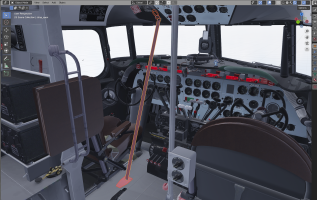
To increase the realism, I would like to add an animation for the gust_lock but despite some research I still don’t understand how the device works. In some videos, we can perfectly see that on the ground and when stopped to immobilize the flight controls, the pilot pulls on a tab located to the left of the overhead and drops it onto the cockpit floor to hook it to something.

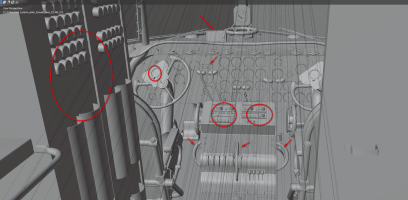
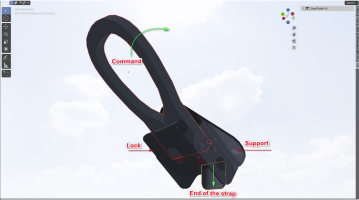
I isolated this device to the left of the overhead, there is :
- a support,
- a red strap,
- a command (I suppose),
- a lock (I still suppose) that is articulated on an axis and
- a metalic end on the strap.

My question is: should we press the control to unlock (lock) the strap and then pull on the metal part to lower it and hang it on the floor?

1775141780534.png

Do the green arrows correctly represent the operation of the device? If someone has more information on this device ...
 
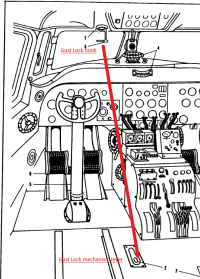
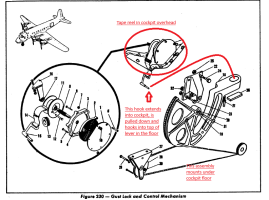
Images from the "Parts Manual" provided by Hollister56
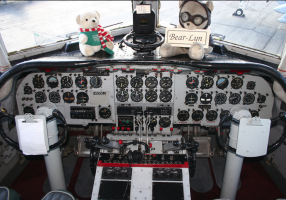
This is a view of the cockpit (1). The "Gust lock" part that is visible is the hook or fitting at the end of a 'tape' (likely a webbing strap) that is wound on a spring-loaded drum in the cockpit ceiling. It is pulled down and engaged in the end of a fitting in the cockpit floor.
C-54_Gustlock-1.png
(2) The fitting is actually the end of a lever attached to a semi-circular arc which locates and actuates cables running back to a complicated mechanism in the tail which locks the elevator torque tube and rudder post.
C-54_Gustlock-2.png
Just for giggles, refer to Diagram 217 & 218 in the C-54 Parts Manual for the gust locks in the tail.

So the only visible part is the tape and hook. Being spring-loaded, retraction is automatic.
Just a suggestion... a click on the 'hook' extends the 'tape' and hooks it to the floor fitting which rises to the vertical. Then write the code which prevents the control surfaces from moving until the 'hook' is clicked again and retracts. That's how it works in practice. Your hook appears to be different, but it is likely the part design was changed as time went by.

Actually a simple concept - the tape interferes with getting into the pilot's seat and makes it difficult to move one's right arm to operate any controls or switches while the gust lock is thus engaged AND it is clearly visible to any maintenance staff.

(I like puzzles. As a kid I used to take watches and other mechanical things apart and learned to put them back together -sometimes) :unsure:
 
It's $25, so if you're on a tight budget, you may think twice, but it really is a nice addon. The visual enhancements are well worth it - at least to me.

Totally agree!
 
Back
Top